


-98.jpg)








Developing and Debugging Zephyr RTOS on GD32 MCUs with the IAR Arm Toolchain






This article mainly introduces how to develop and debug Zephyr RTOS on GD32 microcontrollers using the IAR Arm toolchain.
Prerequisites
Zephyr Beginners: Refer to the official Zephyr Getting Started Guide — Zephyr Project Documentation:
https://docs.zephyrproject.org/latest/develop/getting_started/index.html
IAR Embedded Workbench for Arm: Version 9.70.1 and above supports Zephyr.
GD32 Zephyr Development Guide: Refer to the Chinese getting-started document hosted on GitHub:
https://github.com/GD32-MCU-IOT/gd32_zephyr/blob/main/gd32mcu_zephyr_get_start_cn.md
Step-by-Step Guide to GD32 MCU Zephyr Development with the IAR Arm Toolchain
1 Development Environment
- Operating System: Windows 11
- Command Line Interface: Windows PowerShell
- IAR Arm Toolchain: EWARM 9.70.4
- Hardware Evaluation Board: GD32H759I_EVAL
2 Install System Dependencies
First install the system dependency packages required for Zephyr development.
Follow the installation steps from the official guide at:
https://docs.zephyrproject.org/latest/develop/getting_started/index.html
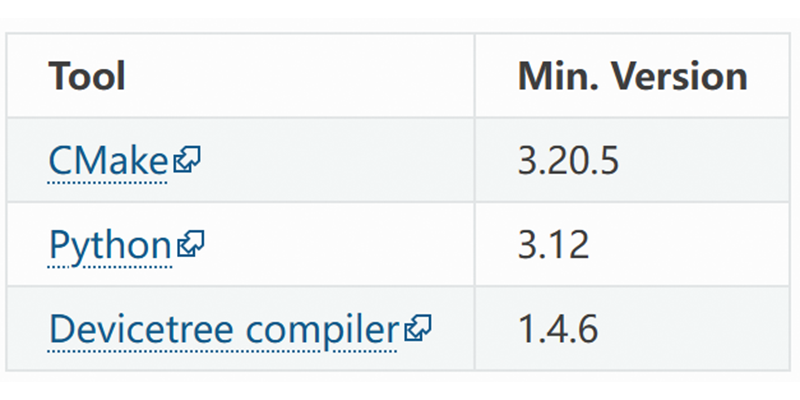
Minimum version requirements for core components including CMake, Python, and the Devicetree Compiler are listed below.
Run the following commands to verify successful installation:
|
# Check CMake version |
3 Configure Python Environment
3.1 Create a Python Virtual Environment
|
# Create workspace directory |
|
|

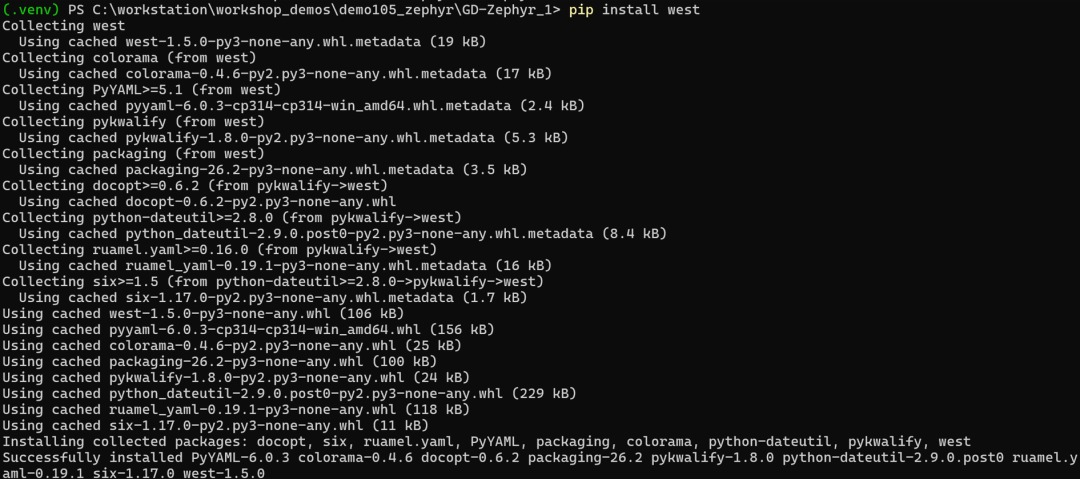
3.2 Upgrade pip and Install West
|
# Upgrade pip to the latest release |
|
|
3.3 Verify West Installation
|
# Check West version (v1.5.0 or higher required) |
|
|

4 Retrieve Zephyr Source Code
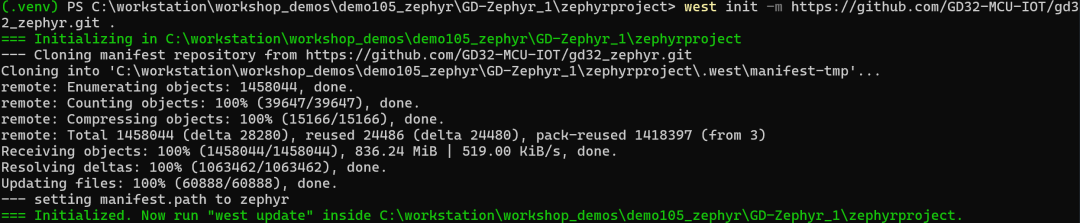
4.1 Initialize West Workspace with Custom GD32 Repository
|
# Navigate to project root |
|
|
4.2 Export Zephyr CMake Package
|
# Export Zephyr CMake package to auto-load build templates |
|
|

4.3 Update All West Modules
|
# Pull and sync all dependent West modules |
|
|

This operation may take several minutes, as West will download the Zephyr kernel and all mandatory modules.
5 Install Python Dependencies for Zephyr
|
# Enter the Zephyr source folder |
|
|

6 Install Zephyr SDK
6.1 Download and Install the Full SDK
|
# Install the official Zephyr SDK (versions subject to updates; check latest releases) |
|
|

If only the Arm GCC toolchain is required, run the command below:
|
west sdk install -t arm-zephyr-eabi |
7 Persistent Environment Setup
Every time you open a new PowerShell window and enter the development directory, reactivate the Zephyr environment:
|
# Activate the preconfigured Python virtual environment |
|
|

8 Validate Full Installation
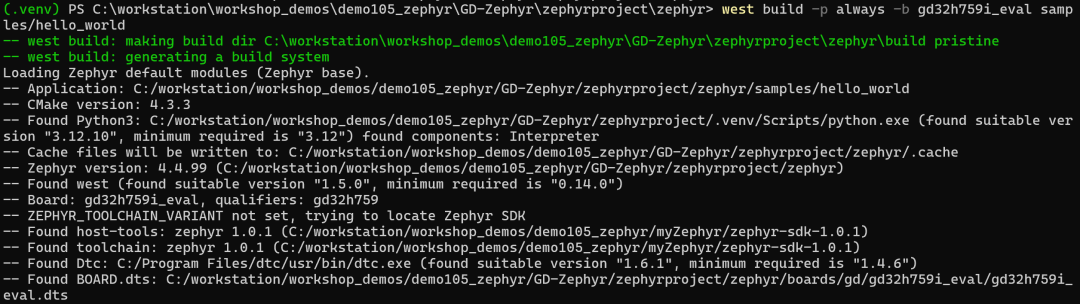
8.1 Build the Sample Hello World Application
|
# Navigate to the Zephyr source root |
|
|
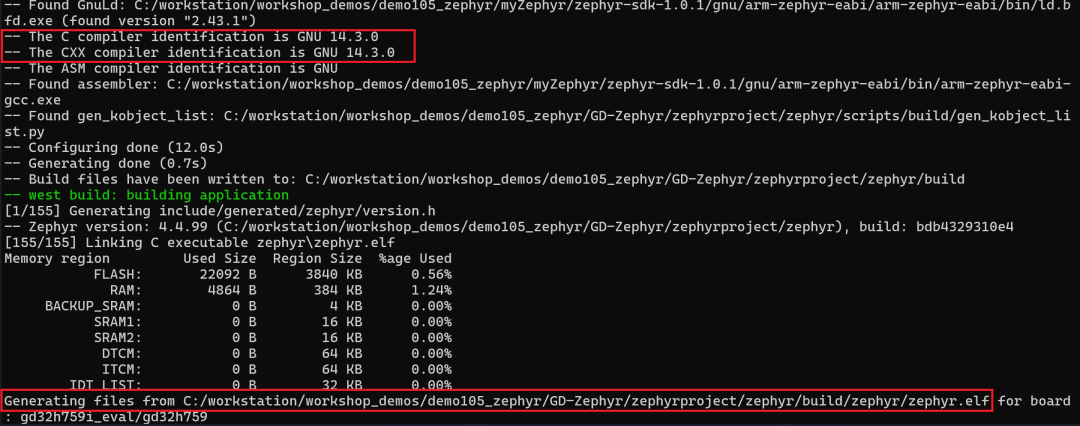
9 Build Projects with the IAR Arm Toolchain
9.1 Set Environment Variables for IAR Toolchain
|
# Specify IAR as the active Zephyr toolchain variant |
9.2 Build Hello World Using IAR Compilation Chain
|
# Rebuild Hello World sample with IAR toolchain for GD32H759I_EVAL |
|
|
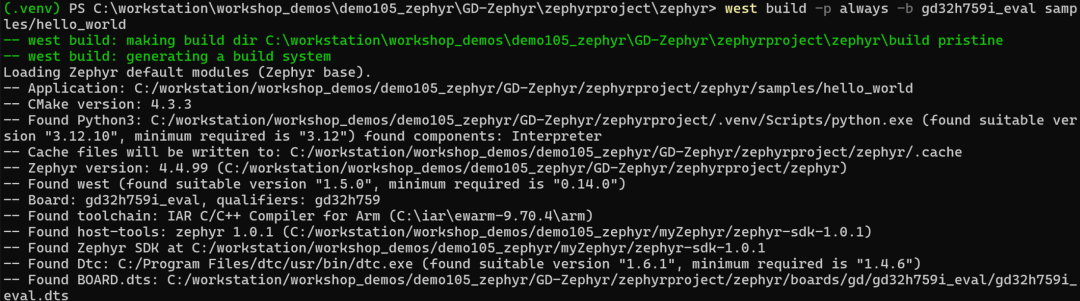
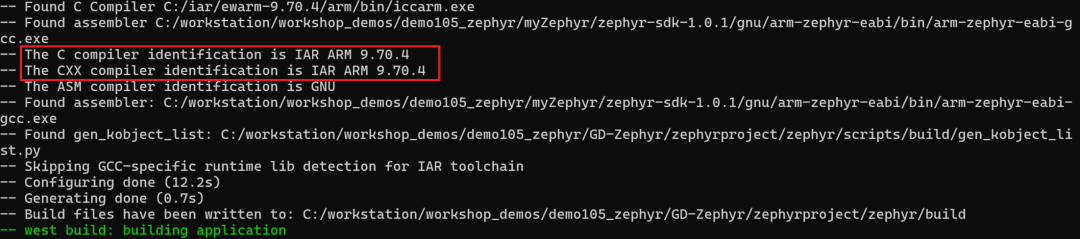
10 Debug with the IAR Arm Toolchain
1. Create a new debug project in IAR Embedded Workbench for Arm, and select the Externally built executable project type.
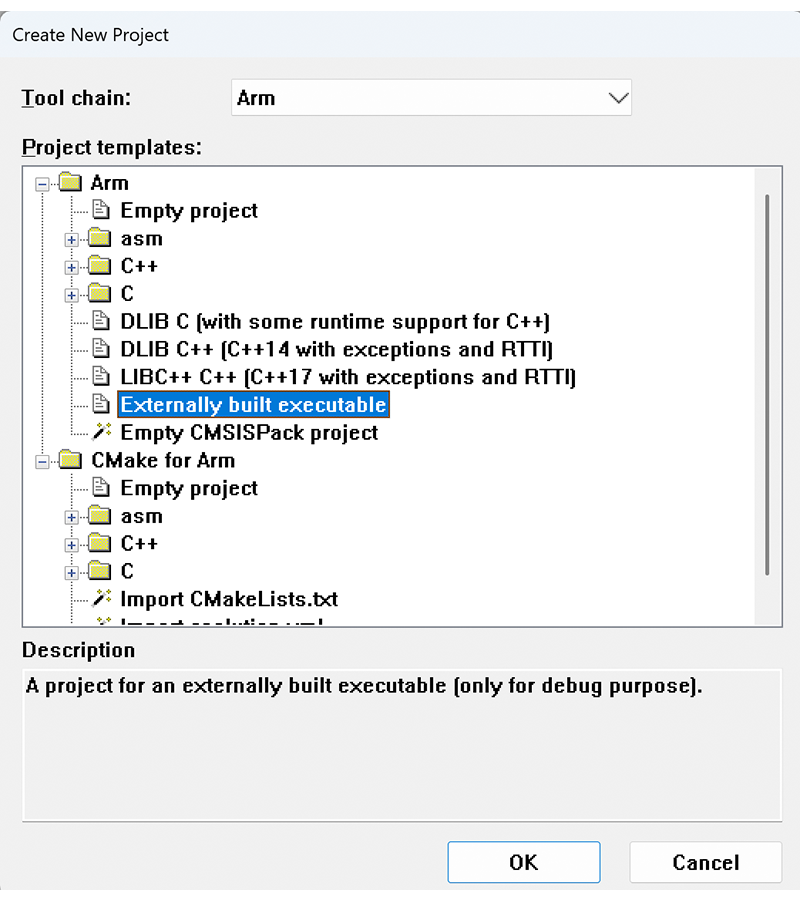
2. Follow the configuration steps documented in readme_external_binary.txt to complete project setup:
- Import the compiled ELF binary file
- Select the target chip: navigate to Options > General Options > Target > Device
- Configure debug adapter driver: navigate to Options > Debugger > Setup > Driver
- Enable Zephyr-aware debugging plugins: check relevant options under Options > Debugger > Plugins (requires enabling the CONFIG_DEBUG_THREAD_INFO Kconfig option during project build)
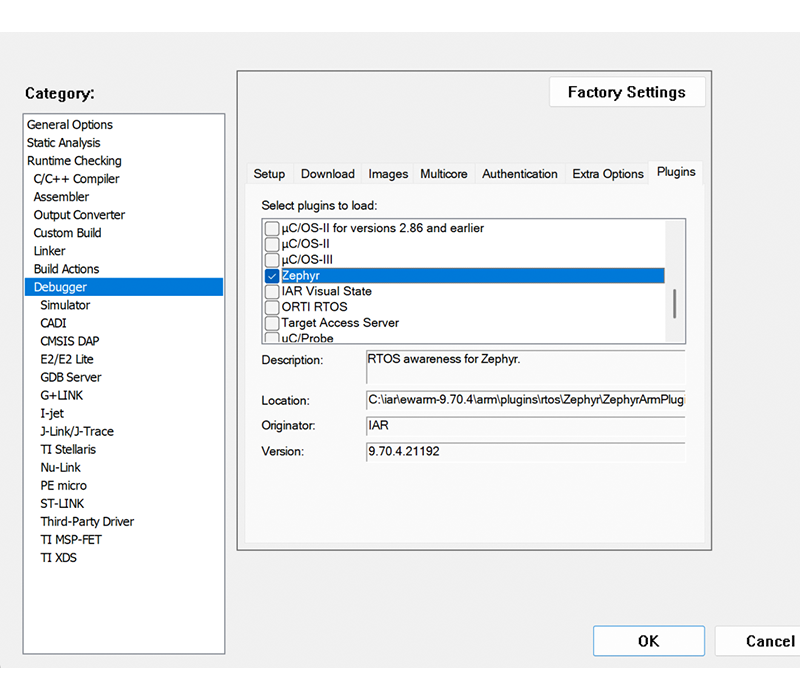
3. Flash firmware and start debugging.
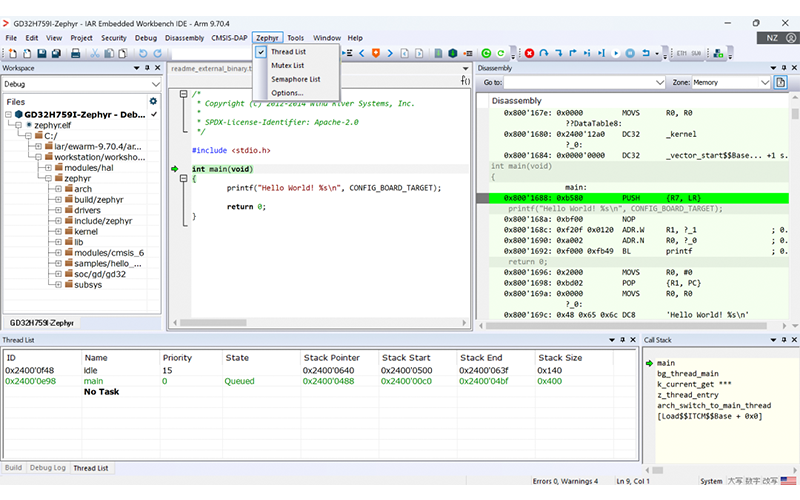
4. Open the Zephyr dropdown menu in the top IAR menu bar to view runtime Zephyr system information.
11 Static Code Analysis via IAR C-STAT
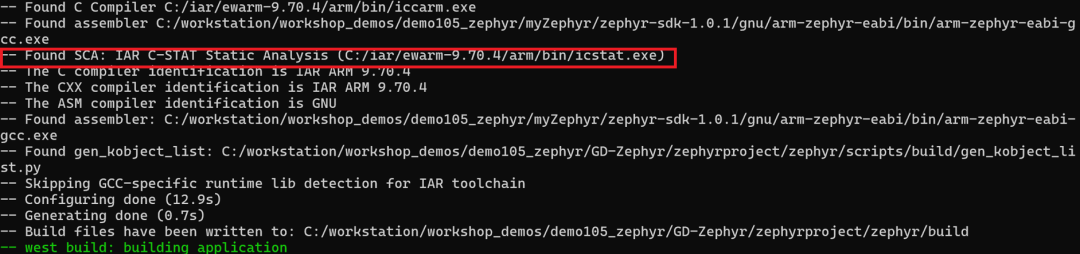
The C-STAT static analysis tool integrated into the IAR Arm toolchain supports static code scanning for Zephyr projects. Execute the command below to run analysis:
|
west build -p always -b gd32h759i_eval samples/hello_world -DZEPHYR_SCA_VARIANT=iar_c_stat |
|
|

For further details, refer to the official documentation: IAR C-STAT support — Zephyr Project Documentation
https://docs.zephyrproject.org/latest/develop/sca/iar_c_stat.html
Summary
This article outlines the complete workflow for developing and debugging Zephyr RTOS on GD32 MCUs running on Windows with the IAR Arm toolchain. Equivalent procedures can be applied to Linux-based development environments for IAR-powered Zephyr development.
References
1. https://www.zephyrproject.org/learn-about/
2. https://docs.zephyrproject.org/latest/develop/getting_started/index.html
3. https://docs.zephyrproject.org/latest/develop/toolchains/iar_arm_toolchain.html
4. https://mypages.iar.com/s/article/Debugging-an-externally-built-executable-file?language=en_US
5. https://github.com/GD32-MCU-IOT/gd32_zephyr
6. https://docs.zephyrproject.org/latest/develop/sca/iar_c_stat.html
7. https://www.iar.com/zh/blog/static-code-analysis-in-zephyr-build-safer-cleaner-code-with-iar-c-stat


